AI Remove Background Feature in CorelDRAW
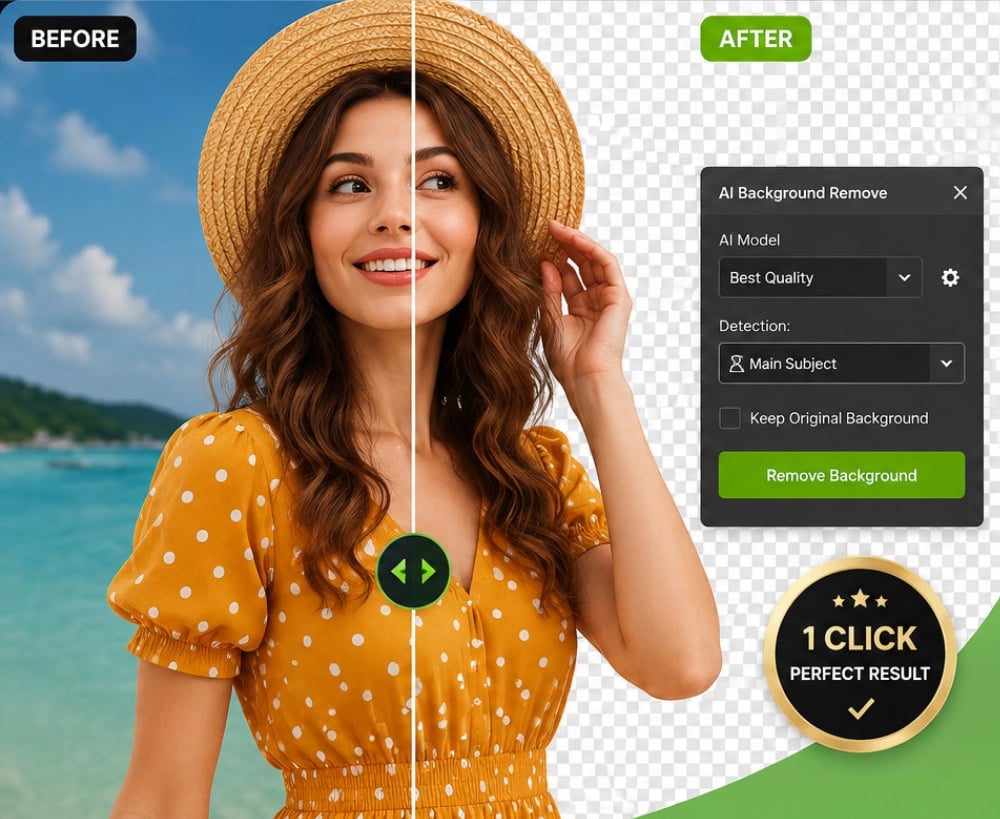
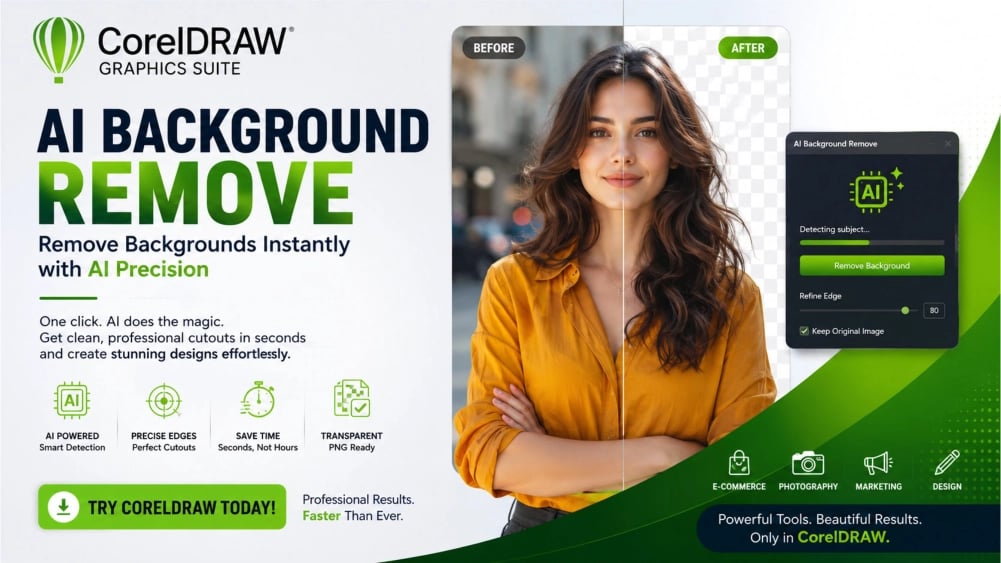
Transform your designs with CorelDRAW AI Remove Background feature. Say goodbye to tedious edits and create professional-quality visuals in seconds. Perfect for product photos and marketing visuals.
COREL PHOTO-PAINT TUTORIAL
4 min read
AI Remove Background
✅ Download CorelDRAW
Instantly transform your designs with CorelDRAW AI Remove Background. Say goodbye to tedious manual edits. Easily Remove Background in Seconds with Precision. Perfect for Product Photos, Marketing Visuals, and Creative Projects. Save Time, and Boost Productivity

Watch Video above
AI Remove Background in CorelDRAW
The Smartest Way to Remove Background with AI
Create Perfect Cut-Outs in Seconds • No Design Experience Required • Professional Results Every Time
Turn ordinary photos into extraordinary designs with CorelDRAW's AI Remove Background. Instantly isolate people, products, objects, and graphics from any background using advanced artificial intelligence. Save hours of editing time, improve your workflow, and create professional-quality visuals for print, web, social media, and eCommerce, all within CorelDRAW.
✅ Download CorelDRAW
Experience faster, smarter, AI-powered image editing.
Why Choose CorelDRAW AI Remove Background?
Whether you're designing advertisements, editing product photos, creating social media graphics, or building websites, Remove Background is one of the most common image editing tasks.
Instead of spending valuable time drawing masks and refining selections manually, CorelDRAW uses artificial intelligence to identify the main subject of your image automatically. Within seconds, the background disappears, leaving a clean, professional cut-out ready for your next creative project.
The result is a faster workflow, better productivity, and stunning designs that capture attention.
Designed for Everyone
CorelDRAW AI Remove Background is perfect for:
Graphic Designers
Marketing Agencies
Content Creators
Social Media Managers
eCommerce Sellers
Small Business Owners
Photographers
Students
Teachers
Print Shops
Website Designers
Bloggers
YouTubers
Advertising Professionals
No matter your skill level, CorelDRAW Remove Background helps you produce professional-quality graphics with minimal effort.
✅ Download CorelDRAW
Powerful Features
AI Subject Detection
Automatically detects people, products, pets, vehicles, furniture, logos, flowers, food, electronics, and more.
One-Click AI Remove Background
Remove background instantly without drawing complicated selections.
Edge Refinement
Remove Background and Preserve fine details including:
Hair
Fur
Transparent Objects
Clothing
Jewelry
Glasses
Curved Shapes
Transparent PNG Export
Remove Background and create transparent images ready for:
Websites
Online Stores
Social Media
Presentations
Print Projects
Fast Professional Workflow
Complete editing tasks in minutes instead of hours.
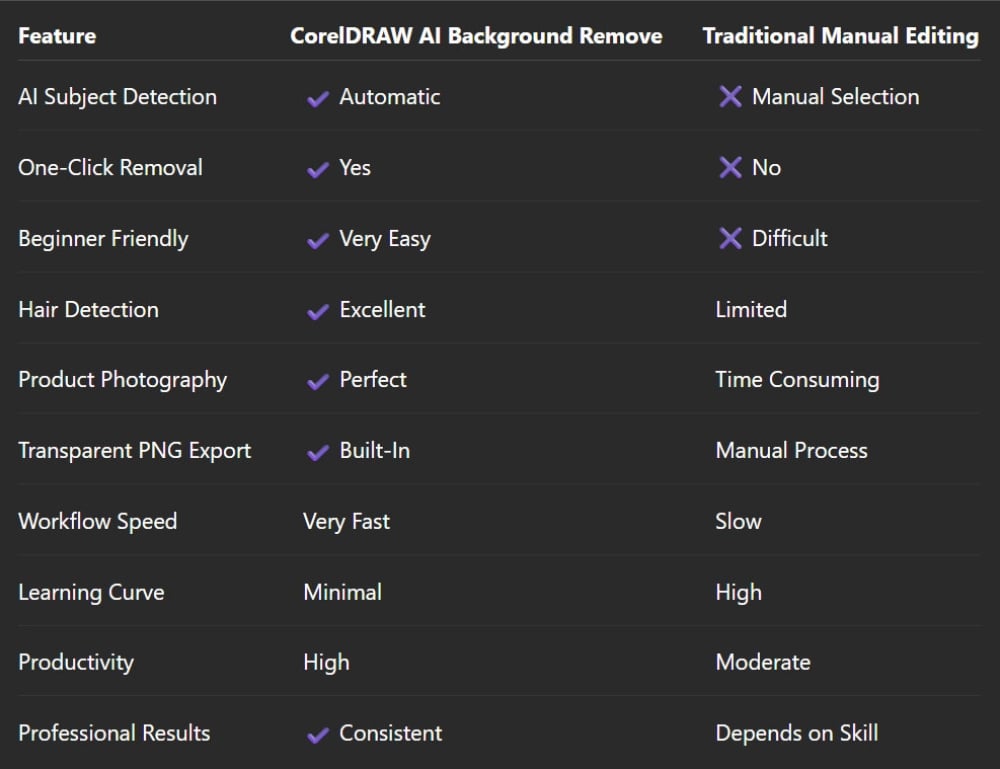
CorelDRAW Feature Comparison
✅ Download CorelDRAW
How AI Remove Background Works
Step 1
Import any image into CorelDRAW.
Step 2
Select AI Remove Background.
Step 3
Allow AI to identify your subject.
Step 4
Review and refine the cut-out if necessary.
Step 5
Export your image with a transparent background or continue designing directly inside CorelDRAW.
Perfect for Every Industry
eCommerce
Remove Background and create clean product photos that will help to increase customer confidence and improve product listings.
Perfect for:
Amazon
Shopify
WooCommerce
Etsy
eBay
Online Catalogs
Marketing
Design eye-catching:
Advertisements
Posters
Flyers
Brochures
Social Media Posts
Email Campaigns
Website Graphics
Photography
With Remove Background in CorelDRAW you can quickly create:
Portrait Cut-outs
Corporate Headshots
Wedding Designs
Family Portraits
Graduation Photos
Creative Photo Composites
Social Media
Produce engaging:
Instagram Posts
Facebook Ads
LinkedIn Graphics
YouTube Thumbnails
Pinterest Pins
TikTok Promotions
✅ Download CorelDRAW
Save Hours Every Week
Imagine editing hundreds of images every month.
Instead of manually tracing every object, CorelDRAW completes the hard work automatically.
The time you save can be invested in:
Designing
Marketing
Growing Your Business
Serving More Clients
Creating More Content
Benefits You'll Love
✔ Faster editing
✔ Better accuracy
✔ Professional image quality
✔ Improved productivity
✔ Easy to learn
✔ Works on countless image types
✔ Great for beginners
✔ Trusted by professionals
✔ Professional output
✔ Built directly into CorelDRAW
Why Businesses Love CorelDRAW
Businesses need speed.
Deadlines matter.
Clients expect professional-quality graphics.
CorelDRAW helps businesses create polished marketing materials without outsourcing image editing. Whether you're launching a new product, updating your website, or designing a promotional campaign, AI Remove Background lets your team produce clean, high-impact visuals quickly and efficiently.
✅ Download CorelDRAW
✅ Download CorelDRAW
Frequently Asked Questions
What is AI Remove Background?
It is an AI-powered Remove Background feature inside CorelDRAW that automatically removes the background from photographs while preserving the main subject with impressive accuracy.
Is it suitable for beginners?
Yes. The Remove Background feature is designed to be simple enough for beginners while offering the precision and flexibility professionals expect.
Can it remove background from product photos?
Absolutely. It is ideal for creating clean product images for online stores, catalogs, brochures, and digital advertisements.
Can I export transparent images?
Yes. You can export your finished image with a transparent background in formats such as PNG for use on websites, presentations, and graphic designs.
Does it work with portraits?
Yes. CorelDRAW AI Remove Background is well-suited for portraits, helping preserve details such as hair, clothing, and facial features.
Can I edit the image after I remove background?
Yes. Once the Remove Background is applied, you can continue editing within CorelDRAW by adding text, effects, shadows, vectors, shapes, and other design elements.
Do I need additional software?
No. AI Remove Background is integrated into CorelDRAW, reducing the need to switch between multiple applications for your design workflow.
Why Choose CorelDRAW?
CorelDRAW is more than a Remove Background tool. It is a complete professional graphic design suite that combines vector illustration, page layout, typography, image editing, AI-powered tools, and print production in one powerful application. With everything under one roof, you can streamline your creative process and deliver polished, high-quality designs faster.
✅ Download CorelDRAW
Ready to Create Professional Images?
Every minute spent on remove background manually, is time you could have spent creating, marketing, and growing your business.
With CorelDRAW AI Remove Background, you'll work faster, design smarter, and produce stunning visuals that make your brand stand out.
🚀 Start Creating Today
✔ Remove Background in Seconds
✔ Save Hours of Editing Time
✔ Produce Professional Results
✔ Enhance Marketing Materials
✔ Improve Product Photography
✔ Create Eye-Catching Social Media Graphics
✔ Build Better Websites
✔ Increase Your Productivity